A USB stick is one of the easiest corporate gifts to get wrong. From the outside, two drives can look identical — same swivel body, same shiny logo, same capacity printed on the quote. Plug them in six months later and one still works perfectly while the other has quietly corrupted the files it was trusted with. The difference is almost never the casing. It’s the chip inside, and it’s the one thing most buyers never ask about.
This guide is written for anyone ordering custom USB flash drives in Dubai for an event, a training programme or a client handover. It covers which capacity to pick, what USB 2.0 and 3.0 actually mean in practice, how to spot a dodgy chip before it embarrasses you, the styles and branding methods worth considering, what data preloading involves, and what you should realistically pay. If USBs are one line item in a bigger order, they also sit comfortably alongside other promotional products in Dubai — but they deserve their own homework, for reasons that will become clear below.
Choosing a Capacity: What 8GB to 128GB Really Holds
Capacity is where most orders start, and it’s where a lot of money gets wasted in both directions. Buy too small and the drive can’t hold the video content marketing promised to include. Buy too big and you’ve paid for empty space nobody will ever use — at 500 or 1,000 pieces, that overspend adds up fast.
Here’s the practical picture. An 8GB drive handles documents comfortably: PDF brochures, price lists, training manuals, a slide deck or two. It’s the budget option and it’s fine for text-and-image payloads. Step up to 16GB and you can add product videos, a recorded keynote or a small software installer without thinking twice. At 32GB you’re into full event coverage — session recordings, high-resolution image libraries, CAD files, sizeable training video libraries. 64GB and 128GB are specialist territory: video production handovers, architectural project archives, or drives intended as genuine working storage rather than a delivery vehicle.
For most corporate orders in the UAE, 16GB and 32GB are the sweet spot, and that’s not a sales line — it’s what the use cases actually demand. Conference material, onboarding packs and sales kits almost never exceed a few gigabytes, yet a 16GB drive leaves headroom for the video file someone always adds at the last minute. If your content is documents only, 8GB keeps the unit price down and nobody will feel short-changed. If there’s any video involved at all, start at 16GB and don’t look back.
One more thing worth knowing: the capacity printed by the operating system will always look slightly lower than the number on the box, because manufacturers count gigabytes differently from computers. A 16GB drive showing around 14.5GB is normal. A 16GB drive showing 15.9GB and then corrupting files at 9GB is not — hold that thought for the chip section below.
USB 2.0 vs USB 3.0: Speed in Plain Terms
You’ll see both standards quoted, sometimes with a price gap between them. Here’s what the difference means outside a spec sheet. USB 2.0 copies files at roughly 10–15 megabytes per second in real-world use. Filling a 16GB drive takes somewhere around twenty minutes. USB 3.0 is several times faster — typically 60–100 megabytes per second or more — so the same fill takes three or four minutes.
Does it matter? For the end user receiving a preloaded drive, honestly, not much. They’ll open a few files, maybe copy one folder, and the speed difference will never register. Where it matters is at our end and yours: if you’re preloading 800 drives with 10GB of content each, USB 3.0 turns a multi-day job into a manageable one, and if the drives will be used to shuttle large files regularly — video editors, site engineers, photographers — recipients will thank you for 3.0.
Our usual advice is simple. For giveaway drives carrying documents and modest media, USB 2.0 keeps the price sensible and nobody complains. For 64GB and 128GB capacities, or any drive meant to be reused as working storage, pay the small premium for 3.0. A big, slow drive is the worst of both worlds. Connector type matters too, and we’ll come to Type-C dual drives in the styles section — they’re increasingly the safer bet as laptops drop the old rectangular port.
The Part That Actually Matters: Chip Quality
Everything else in this guide is preference. This section is protection. The flash memory chip is the entire product — the casing, the print and the packaging are decoration around it — and the USB market has a quality problem that catches buyers out every single month.
Grade A chips vs the alternatives
Reputable drives use Grade A (sometimes called original or tier-one) NAND chips from known makers — names like Samsung, Toshiba/Kioxia, SanDisk, Micron and Intel. These chips pass full testing, hold their stated capacity honestly, and read and write at consistent speeds for years.
Below that sits a grey market of recycled and “upgraded” chips. Recycled chips are pulled from scrapped electronics, wiped and resold. Upgraded chips are worse: a genuinely small chip — say 2GB — is reprogrammed to report itself to your computer as 16GB or 32GB. The drive appears to accept your files. In reality, everything written past the real capacity either overwrites earlier data or vanishes. Files corrupt silently. The failure usually surfaces weeks later, when your client opens the handover documents or your delegate tries to watch the keynote — long after the invoice is paid and the moment to fix it has passed.
How a buyer protects themselves
You don’t need to be an engineer. You need to ask three questions and run one test.
- Ask which chip is inside. A serious USB supplier in Dubai should be able to name the chip brand and grade without hesitation. Vague answers like “good quality chip” are an answer in themselves — walk away.
- Test the sample properly. Don’t just plug it in and copy one photo. Fill the drive completely with real files, then copy them back and open several from the end of the batch. Free tools such as H2testw exist precisely for this and will expose a fake-capacity drive in one pass. It’s exactly why we tell buyers to order samples before committing to a bulk run — a sample you can torture-test is worth more than any promise on a quotation.
- Ask about the warranty. Grade A drives are routinely backed for a year or more. A supplier who won’t stand behind the chip is telling you what the chip is.
- Be suspicious of the price. If a 32GB quote lands well below every other supplier’s 16GB price, the saving has come from somewhere, and it’s the component you can’t see.
At Vision Advertising we only quote original Grade A chips, and we’d rather lose an order on price than win it with a chip we wouldn’t hand to our own clients. That isn’t virtue signalling; it’s self-preservation. A corrupted drive carries your logo, not the chip factory’s.
Styles Compared: Picking the Right Body
Once capacity and chip are settled, the fun part starts. Body style drives both the look and the branding method, so choose them together. The main families, all stocked within our wider range of technology corporate gifts, compare like this:
| Style | Best for | Branding | Worth knowing |
|---|---|---|---|
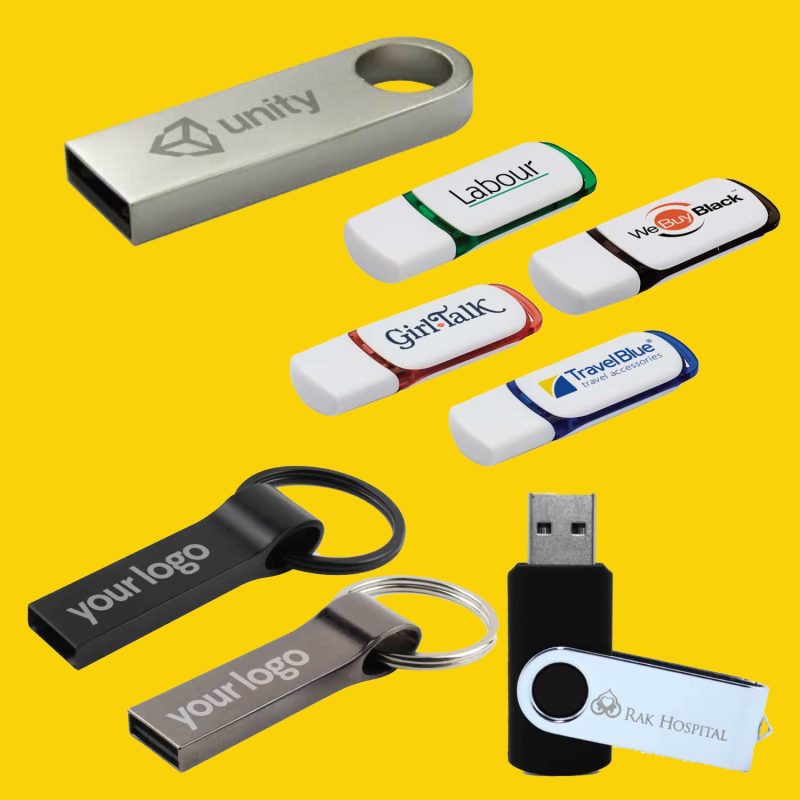
| Swivel metal | General corporate giveaways, events | Laser engraving or print | The workhorse. Capless design, nothing to lose, every capacity from 8GB to 128GB. |
| Credit card USB | Direct mail, wallet carry, launches | Full-colour, full-bleed print both sides | Slim as a bank card. The largest print area of any style — treat it as a tiny billboard. |
| Bamboo / wood | Eco campaigns, sustainability-led brands | Engraving suits the material best | Natural grain means every piece is slightly different. Part of our bamboo gifts in Dubai range. |
| Leather | Executive gifts, premium handovers | Debossing or metal plate engraving | Heavier, tactile, often paired with a gift box. Suits smaller, higher-value runs. |
| Pen USB | Conferences, training, note-takers | Engraving on the barrel | A working pen with the drive hidden in the cap or end. People actually keep these. |
| Type-C dual (OTG) | Phone-first audiences, field teams | Engraving or print | USB-A on one end, Type-C on the other. Plugs straight into modern phones and laptops. |
A quick steer: if your audience is under forty or works from phones, the Type-C dual drive avoids the one genuinely annoying USB moment — having the wrong connector. If the drive is going into a printed delegate pack or a mailer, the credit card style earns its place on print area alone. And if your brand has any sustainability story at all, bamboo bodies get picked up, photographed and kept at a rate metal drives don’t match.
Branding: Laser Engraving vs Full-Colour Print
Two methods cover almost every order, and the right choice depends on the body material and your artwork, not on which sounds fancier.
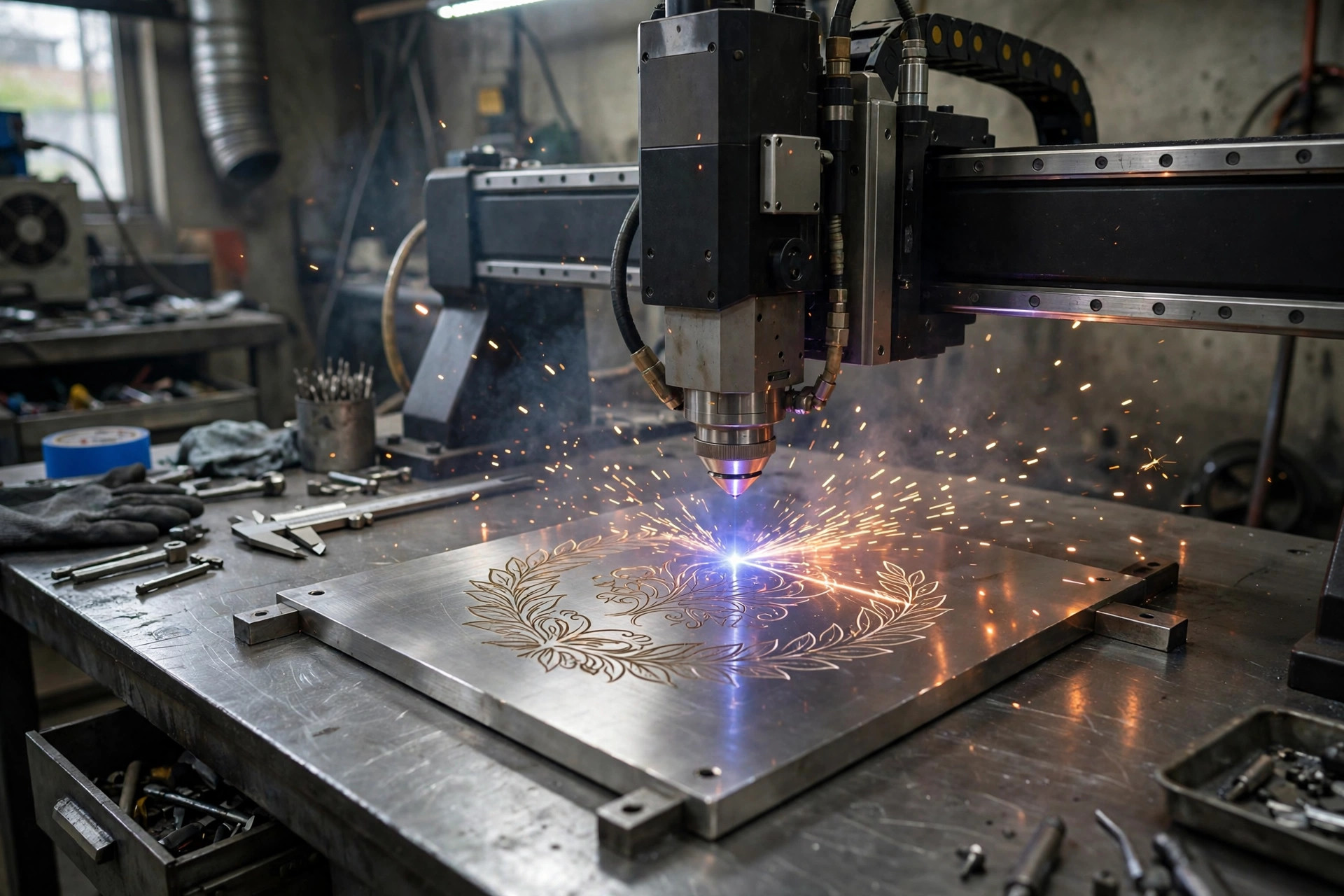
Laser engraving etches the logo into the surface. On metal and bamboo it looks sharp, permanent and quietly premium — it cannot peel, fade or scratch off because it is part of the material. Its limits are real, though: an engraving is one tone, the colour of the exposed material, so a multi-colour logo will be simplified. Fine detail survives well; gradients don’t exist. Choose engraving for metal swivel drives, bamboo and wood bodies, and any logo that already works in a single colour.
Full-colour print (UV or digital printing) reproduces your artwork as designed — photographs, gradients, multi-colour logos, even a full scene. It’s the only sensible option for the credit card USB, where the whole face becomes your canvas, and it works well on flat plastic and coated metal bodies. Modern UV prints are hard-wearing, but they sit on the surface rather than in it, so on a drive that will live on a keyring for two years, engraving ages better.
Practical tip from the production side: send vector artwork (AI, EPS or PDF) whenever you can. A crisp vector file engraves and prints beautifully. A low-resolution logo pulled from a website will be faithfully reproduced in all its fuzziness, on every single unit.
Data Preloading: More Than a Blank Drive
A preloaded drive arrives with your content already on it — the recipient plugs in and your material is simply there. It’s one of the most underused options in corporate gifting, and for many use cases it’s the entire point of the order. Typical preloads include product catalogues and price lists, company profiles, training videos and manuals, event presentations and speaker slides, software installers, and digital copies of whatever is in the printed pack.
There are two ways to load it. A standard preload is just files copied onto the drive: recipients can open, copy, move or delete them, exactly like files on any drive they own. That flexibility suits most giveaways. The alternative is a protected partition, where part of the drive is locked so the files can be read and copied but not deleted or overwritten, and that section can’t be reformatted away by accident. Choose the protected option when the content must survive — compliance documents, controlled price lists, training material you don’t want quietly edited — and accept that the locked portion stays locked for the life of the drive.
Two production realities to plan around. First, your master files need to be final before loading starts; changing one PDF after 600 drives are imaged means starting again. Second, preload volume affects timelines: a few hundred megabytes is trivial, but multi-gigabyte video payloads on USB 2.0 drives take real machine time, which loops back to why 3.0 is worth it on large content. Send the content in one organised folder, exactly as you want it to appear — that folder becomes the master image for the whole run.
Prices and MOQs: What Drives Cost in Dubai
Minimum order quantities for branded USB drives sit at 50 to 100 units for stocked bodies, depending on the style. Below that, setup costs make unit prices silly, and most buyers are better served by a smaller quantity of a nicer item from another category. At 100 units and above, indicative Dubai price bands for Grade A chip drives currently look like this:
- 16GB swivel drive: roughly AED 14–22 per unit
- Credit card USB: roughly AED 16–25 per unit
- Bamboo USB: roughly AED 15–24 per unit
- Stepping up to 64GB: add roughly AED 8–12 per unit over the equivalent smaller drive
Those bands move with capacity, chip prices (memory is a commodity market and it does swing), branding method and whether preloading is included. Engraving is usually included in unit pricing at these volumes; complex full-colour work and protected-partition preloading can add a small per-unit amount. Treat any quote dramatically below these bands as a prompt to ask the chip question from earlier — in this product category, unusually cheap almost always means the memory itself is where the money was saved.
Lead time for stocked bodies is 7–10 working days after artwork approval, which includes branding and a standard preload. Larger quantities, 64GB and 128GB capacities in volume, and unusual body styles can stretch that, so if the drives are tied to a fixed event date, work backwards from it rather than forwards from today.
How Ordering Works, Step by Step
The process is deliberately boring, which is how you want it. First, you tell us the quantity, capacity and style you’re considering — or just the use case, and we’ll recommend. Second, we quote against a named chip grade, so you know exactly what’s inside. Third, you approve a digital mockup of your artwork on the chosen body; nothing is produced from an unapproved proof. Fourth, if you want to be thorough — and for a first order, you should — a physical sample is produced for your fill test and sign-off. Fifth, production, preloading and quality checks run, and the finished drives are delivered, typically inside that 7–10 working day window for stocked styles.
If USBs are part of a larger gift programme with a fixed deadline, it’s worth reading up on how far in advance to order corporate gifts in Dubai — USB production is fast, but the gift boxes, printed sleeves and other items around them often aren’t.
Where Branded USB Drives Earn Their Keep
Conference delegate packs are the classic case. Slides, speaker bios, sponsor material and the event app guide all ride on the drive inside the bag, and when the venue Wi-Fi collapses under 800 simultaneous logins — it will — your content still opens. Drives are a natural anchor item in conference gifts in Dubai, often packed alongside notebooks and custom Bluetooth speakers for speaker or VIP tiers.
Training and HR onboarding is the second big one. A new joiner receives one drive holding the handbook, policy documents, training videos and IT setup guides — no portal login to forget, no “the link expired” email on day three. The protected partition option was made for this: the official documents can’t be accidentally deleted by someone tidying up.
Real estate and automotive handovers are a quieter but very Dubai use case. The buyer of an apartment or a car gets a physical drive carrying the handover documents, warranties, manuals, service schedules and a walkthrough video. It feels substantial in a way a download link doesn’t, and it lives in the glove box or the documents drawer for years — your branding with it. Schools use the same logic for admissions packs: prospectus, fee schedules, term calendars and application forms in one object a parent can hand to the other parent.
An Honest Note: When the Cloud Wins, and When It Doesn’t
We sell USB drives, so weigh this accordingly — but for some jobs, a cloud link genuinely is the better tool. If your content changes weekly, if recipients are all office-based with fast connections, or if you need to track who opened what, send a link. A drive is a snapshot; it can’t be updated after it leaves our door.
Where a physical drive still wins is equally clear. Offline and low-connectivity settings — construction sites, exhibition halls with strangled Wi-Fi, venues abroad, in-flight and on-site work. Controlled documents, where you want an identical, uneditable copy in someone’s hands. And keepsake value: a handover, a graduation, a milestone event. Nobody frames a download link. A well-made drive in a gift box gets kept, and kept objects are the whole economics of promotional merchandise.
Frequently Asked Questions
What is the minimum order for custom USB flash drives in Dubai?
For stocked body styles, the minimum is 50 to 100 units depending on the model. At those quantities the branding setup is spread thinly enough for unit pricing to make sense. If you need fewer, ask us anyway — occasionally a style already in production can accommodate a short run.
How long does an order take?
Stocked bodies take 7–10 working days after artwork approval, including branding and a standard data preload. Large quantities, high capacities in volume and non-stocked styles can take longer, so for event deadlines we recommend confirming the date before artwork stage rather than after.
How can I be sure the capacity is genuine?
Ask the supplier to name the chip brand and grade, then test your sample by filling it completely and copying the files back — free tools like H2testw automate exactly this check. Genuine Grade A chips pass; upgraded fakes fail within the first full write. We welcome the test, and any supplier who discourages it has answered your question.
Can you preload our files, and can they be protected from deletion?
Yes to both. A standard preload places your files on the drive where recipients can use, copy or delete them freely. A protected partition locks the content so it can be read and copied but not deleted or overwritten — the better choice for controlled documents such as handbooks, price lists and compliance material.
Which is better for my logo, engraving or printing?
If your logo works in a single colour and the body is metal or bamboo, engraving looks sharper and lasts the life of the product. If your artwork is multi-coloured, photographic or detailed, full-colour print is the right call — and on the credit card style it can cover the entire face of the drive.
Should I choose USB 2.0 or USB 3.0?
For document-based giveaways at 8–32GB, USB 2.0 is perfectly adequate and keeps the price down. For 64GB and 128GB drives, heavy video content, or drives recipients will reuse as working storage, USB 3.0’s faster copying is worth the modest premium.
What file format should my content and artwork be in?
Artwork should be vector — AI, EPS or PDF — for clean engraving and printing. Preload content can be any file types your recipients can open, supplied in one organised folder exactly as you want it to appear on the drive. We’ll flag anything that looks like it won’t open on a standard machine before production starts.
Talk to Us About Your USB Order
If you’re planning branded USB drives for an event, an onboarding programme or a client handover, send us the quantity, the capacity you have in mind and whatever artwork you have — we’ll quote against a named Grade A chip, recommend the body and branding method that suit it, and tell you honestly if a different product would serve you better. Vision Advertising is based in Hor Al Anz, Deira, Dubai, and USB orders are one of the things we do every week. Get in touch for a quote, and ask us the chip question. We like that question.